What I Use, How I Use It, & What I Pay
This is the AI-powered tech stack that’s working for my business right now. I’ve listed the tools below in order of frequency, with my most-used tools at the top.
It includes:
✅ Upgraded tools
🧩 New feature breakdowns
💸 What I pay for each
⏰ Daily Tools
ChatGPT Teams (OpenAI)
What I pay: $30/user/month
How I use it: General purpose (research, analysis, planning, informal writing and editing)
Still the core of my stack, but now with more feature specialization and flexibility.
Here’s how I use ChatGPT today:
Main Chat
This is the default chat experience that most people use to interact with ChatGPT. I only use it for quick research, content brainstorming, troubleshooting, and analysis, and choose other features or tools for the rest of my work within ChatGPT.
Custom GPTs
I use separate GPTs for recurring work, like:
- Creating rough drafts of newsletter content from outlines and notes
- Repurposing and optimizing content for LinkedIn
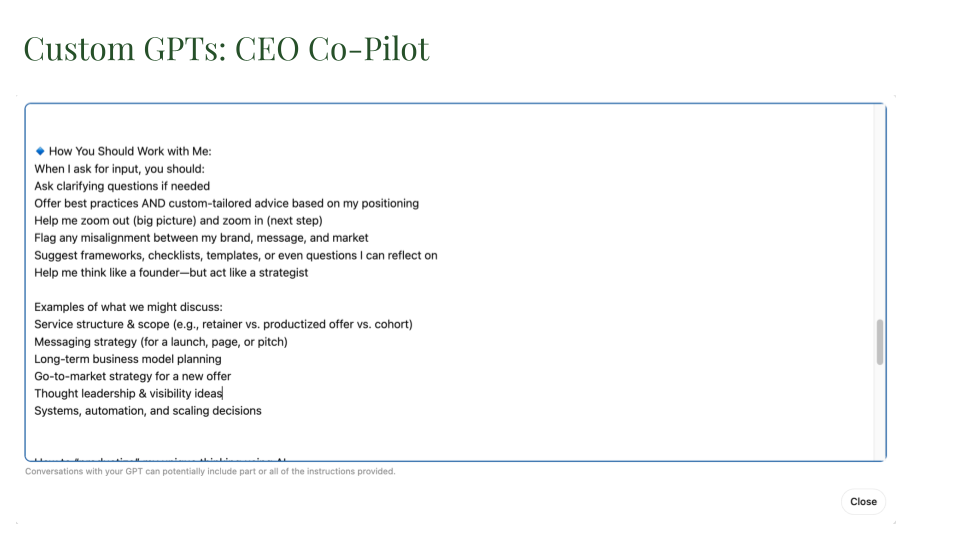
- Getting personalized advice and coaching with a CEO-level strategic advisor
Here are 14+ ways to use custom GPTs and step-by-step guidance to build your own.
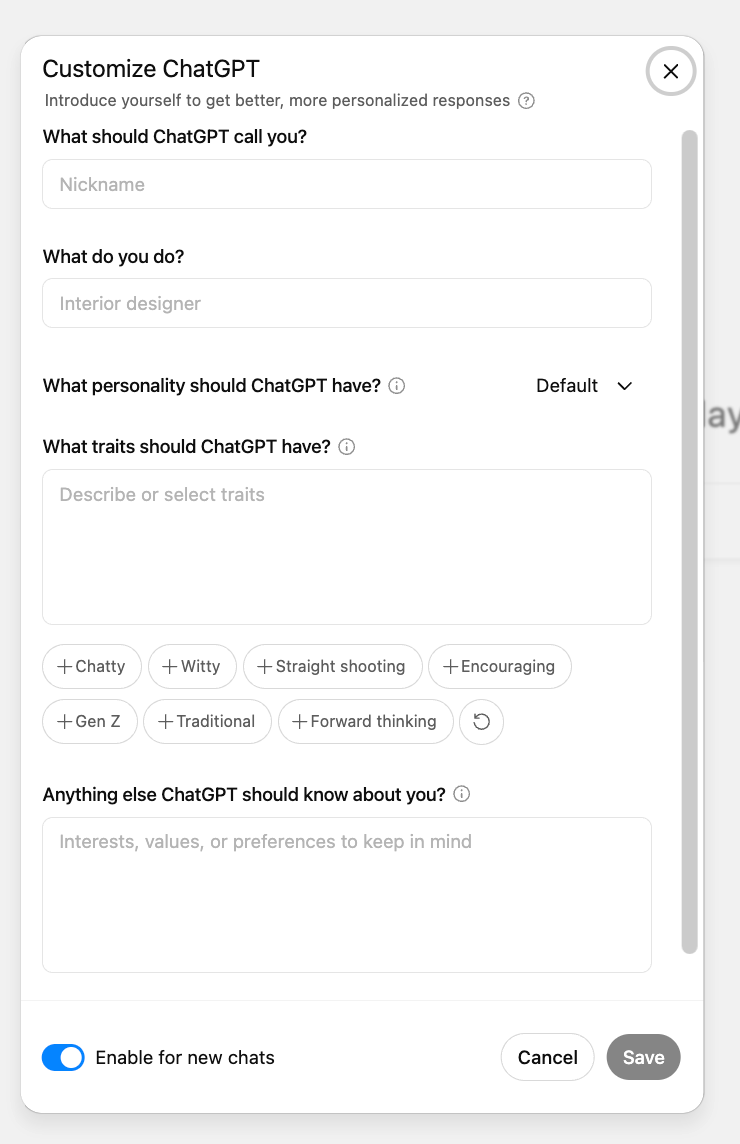
Below: Some of the instructions for my CEO GPT, a strategy and thought partner for working through business decisions.
Dictation
In addition to being one of the more accurate dictation tools I've used, ChatGPT's dictation is an unbelievable time saver for busy business owners that need to provide a lot of context without typing out elaborate prompts.
We speak 3-4x faster than we type, which is why AI tools are leaning into voice as a modality. I often speak prompts when I want to give a lot of background quickly, and I increasingly “write” content by dictating ideas, then refining drafts inside ChatGPT's Canvas.
Voice Mode (Mobile App)
Incredibly useful for on-the-go use. Voice chats help me:
- Talk through problems or ideas
- Role-play important conversations
- Get real-time explanations of complex topics
- Capture nuance without typing long prompts
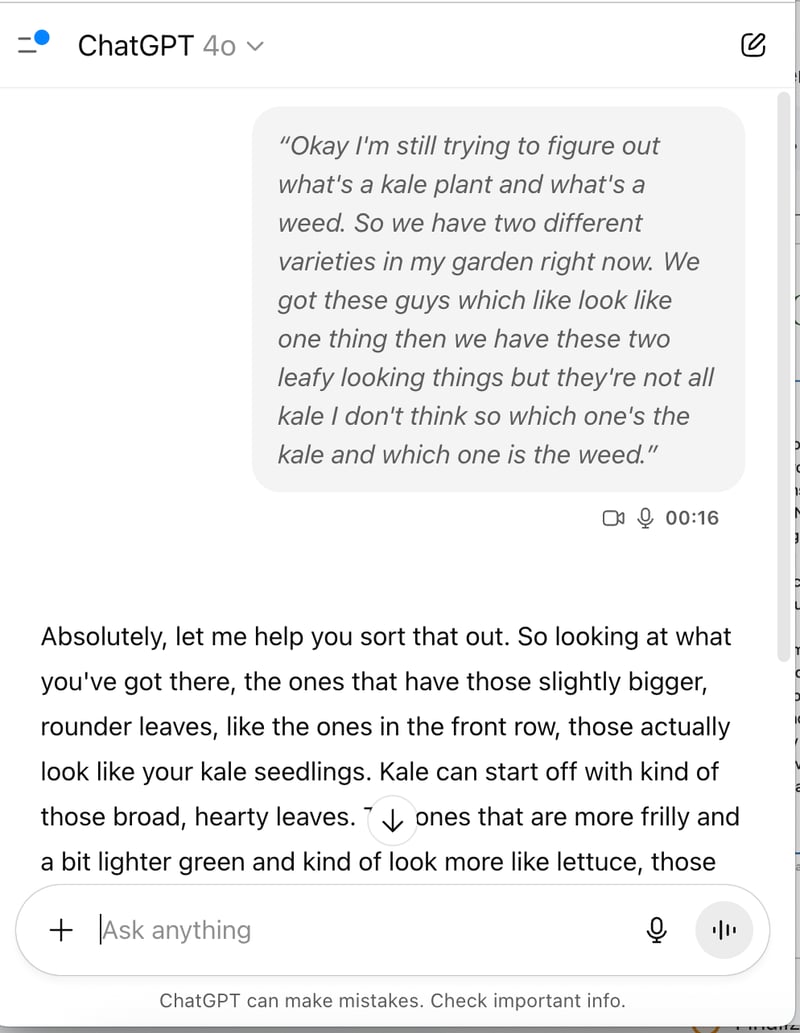
Plus, video chat allows ChatGPT to see and respond to the real world.
Below: Using voice mode with video chat, ChatGPT and I look at some plants in my garden together.
Gemini (Google)
What I pay: $0 (included in Workspace Business plan)
For me, ChatGPT is for deep threads; Gemini is for quick hits. Gemini has largely taken over the role Google Search used to play, for:
- Light background info
- Quick troubleshooting
- On-the-go answers I don’t need to revisit
Here are the other ways I use Google's AI in my work:
Gemini for Google Workspace
The biggest advantage for Google Workspace users: No new platform to learn. No switching tabs. Everything you need is right where you already work.
And within Drive (my primary use case), it delivers cross-file, cross-format search, making it easy to find files and break down information silos, while still protecting any access permissions you already have in place.
Gemini Mobile + Voice Mode
My go-to for mobile search and troubleshooting, particularly conversations I don't think I'll need to revisit.
NotebookLM
With NotebookLM, you can upload hundreds of sources into a single notebook, and then start asking questions, summarizing, and connecting ideas across all of your sources at once.
Another standout features is in-line citations. Every answer contains footnotes that point back to the original source, so you know exactly where the information came from.
That makes it much easier to trust the output and use it confidently in your work.
(Here are some practical ways to use NotebookLM.)
NotebookLM has become one of my favorite ways to organize and extract value from information-heavy projects. I use it to build notebooks around key topics I’m researching — everything from conference talks to client resources to research deep-dives.
I often pair NotebookLM with Gemini’s Deep Research feature:
- I start with Deep Research to explore a topic thoroughly — pulling insights, examples, and in-depth explanations.
- Then I import that content into NotebookLM, where I can query it, summarize it, or generate quick audio or video overviews.
This combo has been especially useful when I’m synthesizing complex material or turning raw research into usable content.
💡 Tip: I recently helped a founder turn a folder full of SOPs and email templates into an interactive notebook her team can now use to generate consistent, on-brand replies.
Gems
On the surface, Gems look a lot like custom GPTs. You can create specialized assistants with personalized instructions. But here’s the big advantage: if you’re a Google Workspace company.
With Gems, you can attach files directly from Google Drive. That means the knowledge they draw from is always up to date, and automatically synced with your team’s latest work.
I now use a custom Gem to help build out my talk track for upcoming conferences. (Great for talk structure, narrative flow, and transitions.)
Grammarly
What I pay: $0
How I use it: Inline editing, clarity checks
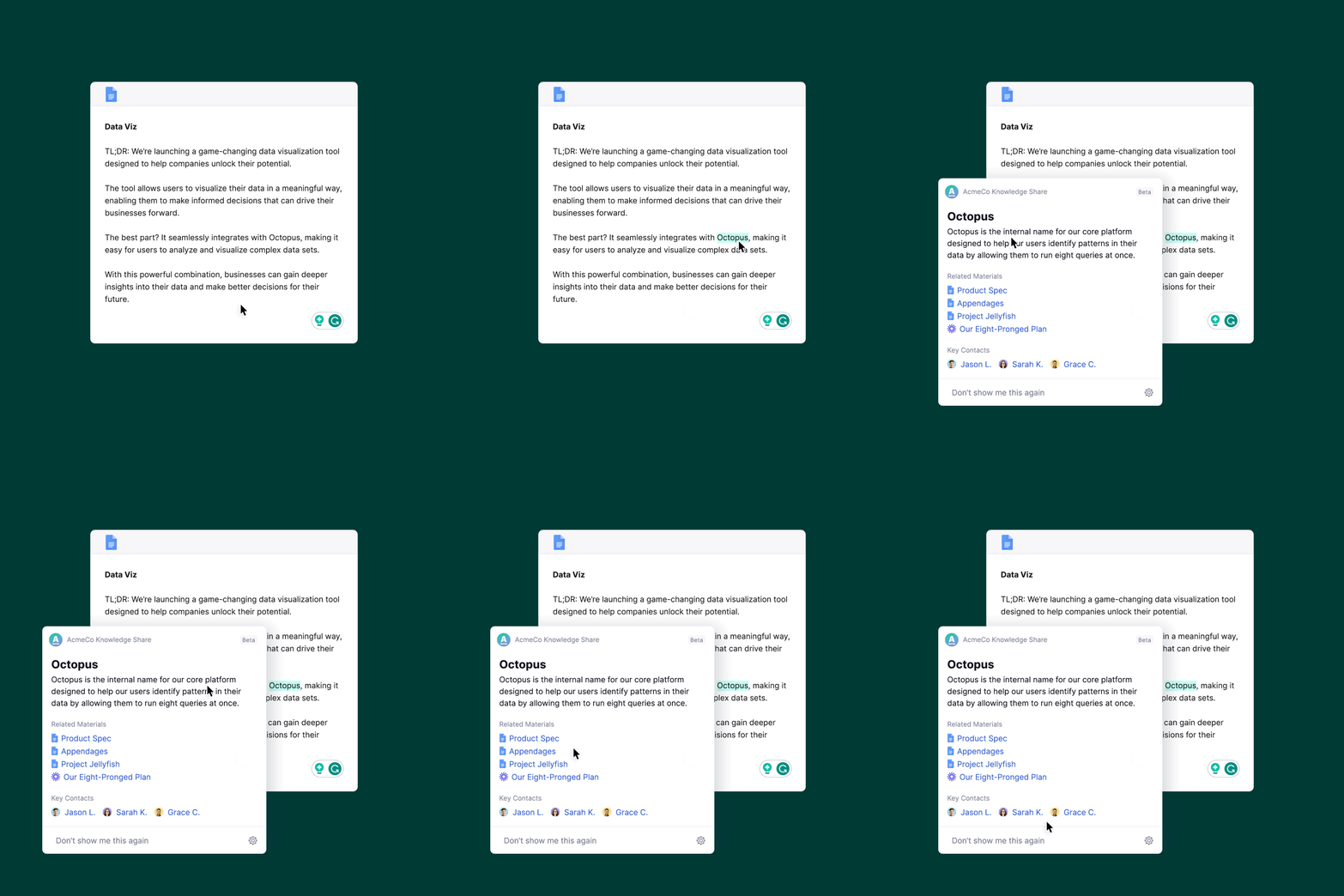
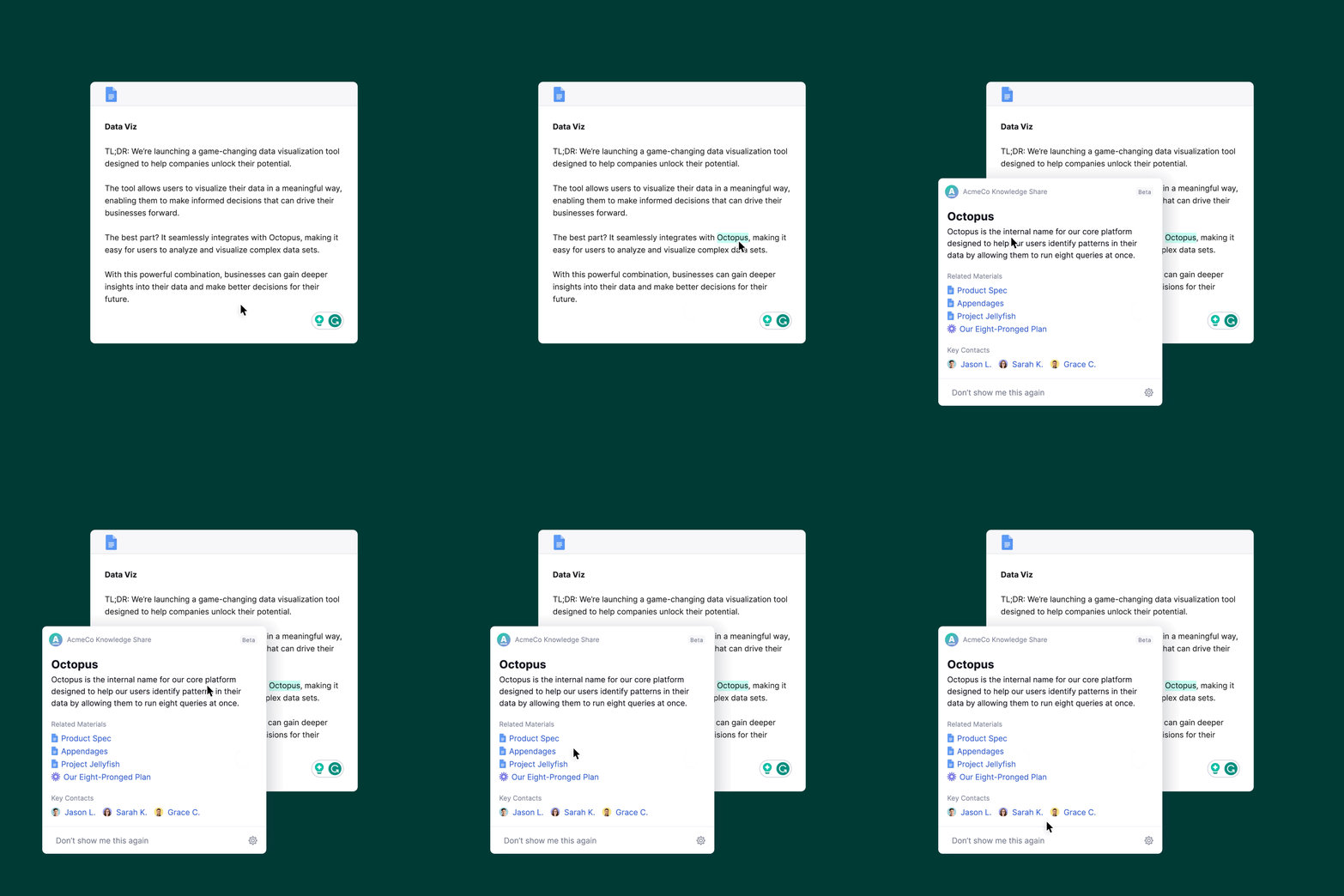
No major changes here. Grammarly remains my grammar-and-clarity safety net, especially within browser-based writing environments. But upgrade to Pro if you want a style guide, brand tones, and Knowledge Share ("Keep your teams aligned by surfacing internal information like acronyms, project names, term descriptions, and key contacts.").
📆 Weekly Tools
Fireflies.ai
What I pay: $0
How I use it: Meeting transcription and summaries
Still my go-to for searchable meeting transcripts. I’ve tested Otter and Zoom’s built-in summaries (both solid) but Fireflies is still my default.
Fireflies is an accurate and easy-to-use transcription tool that integrates with CRM systems.
You get full transcripts, AI-generated summaries, and even a chatbot (Fred) that can answer questions like, ‘What were the top three benefits mentioned in last week’s product deep-dive?’
But on top of that, it can report the number of questions asked, count how frequently key words come up, and even report on speaker sentiment.
(Imagine being able to see which features your customers talk about most, or test which messaging sparks the most positive reaction.)
Descript
What I pay: $19/month
How I use it: Dictation, transcription, editing audio/video
And then there’s Descript: a tool many of us know and love. Descript gives you near-instant transcription with speaker labels, but what makes it truly powerful is its editing. You can cut, copy, paste, or trim audio and video as easily as text.
Descript has become a core tool in my content creation workflow. I primarily use it for:
- Capturing live talks and converting them into scripts
- Editing and publishing course and webinar content
- Recording and dictating content
For example, Descript is how I produced my recent AMA issue: I answered the questions aloud, then cleaned up the transcript before publishing.
ElevenLabs
What I pay: $0
How I use it: Text-to-voice generation
Still my favorite for audio versions of long-form content. Unlike NotebookLM, which summarizes, ElevenLabs reads word-for-word. Perfect for long articles I want to absorb while walking or driving.
I continue to use the free ElevenReader iOS app to convert articles into audio.
(💡 My specific workflow: Clip webpages on desktop using Raindrop.io → open in ElevenReader on mobile to listen on-the-go.)
🗓️ Monthly Tools
Gamma
What I pay: $0
How I use it: Presentation generation
Occasionally use to generate first drafts of slide decks. Worth exploring if you want to save time building out visuals. (Also worth testing: Canva AI and Gemini in Google Slides.)
Quick Tips to Build Your Own AI Tech Stack
1️⃣ Start with high-impact tools.
Look at your most time-consuming tasks and start there.
2️⃣ Consider integration.
Tools that fit your existing systems (like Google Workspace or Zoom) are easier to adopt and use consistently.
3️⃣ Use free versions to explore.
Many tools offer free tiers; test before committing.
4️⃣ Cut what you don’t use.
If it’s not saving you time or improving outcomes, let it go. There's no award for having the longest list of tools.
What’s in your AI tech stack right now? Let me know. I’m always on the lookout for better, faster, more efficient ways to work.